Which medical alarm features matter most for everyday safety?
Focus on the features that keep you protected in real life
When choosing a medical alarm, it is easy to get lost in a long list of specifications. Yet for everyday safety, a handful of features make a real difference. The most important are reliable GPS tracking, automatic fall detection, a simple SOS button, two-way calling, and a battery that lasts. These five elements work together to ensure help reaches you quickly, even when you cannot speak or press a button.
GPS tracking: knowing where you are matters
GPS tracking is what turns a basic alarm into a mobile safety device. Without it, a medical alarm can only work inside your home, within range of a base unit. With GPS, you are protected whether you are in the garden, at the shops, or visiting a friend. The device uses satellite signals to pinpoint your location, so emergency contacts or a monitoring centre can find you without you having to explain where you are. This is especially valuable if you become confused or disoriented after a fall. When you look at a GPS medical alarm, check that the tracking works outdoors and indoors. Some devices rely heavily on cellular triangulation, which is less accurate than GPS. A good unit combines GPS with Wi-Fi positioning for better indoor coverage. Also ask about how often the device updates its location. Frequent updates mean a more accurate picture if you need help.
Fall detection: automatic help when you cannot press a button
A fall is the most common reason older adults need urgent help. Many people who fall cannot reach a phone or press an alarm button. That is why automatic fall detection is a critical feature. The device uses sensors to recognise the motion and impact of a fall, then sends an alert even if you are unconscious. Not all fall detection is equal. Some systems use a simple accelerometer, which can mistake a sudden movement for a fall. Better devices combine accelerometers with gyroscopes and algorithms that learn your typical movement patterns. This reduces false alarms while still catching real falls. When testing a unit, ask how it handles false alarms. Can you cancel an alert if you trigger it accidentally? A good system lets you press a button to cancel within a few seconds. Also check whether the detection works in different positions, such as falling from a chair or bed, not just from standing height.

SOS button: simple and easy to reach
The SOS button is the most direct way to call for help. It should be large enough to press easily, even if your hands are shaky or you are wearing gloves. The button should also be hard to press by accident, but not so stiff that you struggle in an emergency. Look for a button that gives clear feedback, such as a click or a light, so you know the alert has been sent. Some devices have the SOS button on the front, others on the side. Think about where you naturally hold the device. If you wear it as a pendant, the button should be easy to reach with one hand. If you wear it on a wristband, the button should be on the top or side, not underneath. Also consider the button's size relative to your fingers. If you have arthritis or reduced dexterity, a larger button is much safer.
Two-way calling: talk to the responder directly
Two-way calling lets you speak to the monitoring centre or your emergency contact through the device itself. This is far better than a one-way alert that only sends a signal. With two-way calling, the responder can ask what happened, reassure you, and give instructions until help arrives. The quality of the speaker and microphone matters. In a stressful situation, you may speak quietly or breathe heavily. A good device amplifies your voice clearly and filters out background noise. Check whether the device uses a hands-free speakerphone or requires you to hold it to your ear. Hands-free is safer because you may be lying on the floor or unable to move your arms. Also ask whether the call connects automatically after the SOS is pressed, or whether you need to press another button. Automatic connection saves precious seconds.
Battery life: the feature that keeps everything working
All the smart features in the world are useless if the battery is dead. Battery life is often overlooked, but it is the foundation of a reliable alarm. Most devices claim a battery life of several days to a few weeks, but real-world usage varies. GPS tracking and frequent location updates drain the battery faster than standby mode. Look for a device that gives you a clear low-battery warning, ideally both on the device and through a notification to your phone or the monitoring centre. Some devices use rechargeable batteries, others use replaceable ones. Rechargeable is convenient, but you must remember to charge it regularly. Replaceable batteries last longer but require you to keep spares. Think about your routine. If you are likely to forget charging, a device with a long-lasting replaceable battery may be safer. Also check how long the battery lasts with GPS on. Some devices last only a few hours with continuous GPS, which is fine for short outings but not for all-day protection.
Alarm range: what happens when you leave home?
Traditional medical alarms have a limited range from their base unit, often 30 to 50 metres. That works inside a house but not in the garden, at the mailbox, or on a walk. A GPS medical alarm removes this limitation because it uses cellular networks and GPS satellites. However, range still matters in terms of cellular coverage. If you live in a rural area or a place with weak signal, the device may not work reliably. Before choosing a device, check the cellular network it uses and whether that network has good coverage where you spend time. Some devices also include a Wi-Fi fallback, which helps indoors where cellular signal can be weak. Ask about the device's ability to switch between networks automatically. This ensures continuous coverage as you move between home and outdoor areas.

Device testing: how to know it works when you need it
A medical alarm is only as good as its testing routine. Many devices have a test mode that lets you check the GPS, fall detection, and SOS button without sending a real alert. Some monitoring services also offer monthly test calls. Make sure you understand how to test the device and how often to do it. A good habit is to test the SOS button and GPS location every week. Also test the fall detection by simulating a fall onto a soft surface, if the device allows it. Some devices require you to press and hold a test button, others have a dedicated test mode in the companion app. If you are helping a family member choose a device, show them how to test it and put a reminder on the calendar. A device that sits untested for months may have a dead battery or a software glitch that goes unnoticed until an emergency.
Monthly fees and ongoing costs
Most medical alarms require a monthly subscription for the monitoring service and cellular data. This fee covers the cost of keeping the device connected and having a team ready to respond. While fees vary, the important thing is to understand what you are paying for. Some plans include unlimited GPS tracking and fall detection, others cap the number of alerts. Some charge extra for features like two-way calling or family notifications. Read the fine print before committing. Also check whether the fee includes replacement devices if the unit is lost or damaged. A device that requires a long contract may lock you into a service you later want to change. Look for a plan with month-to-month flexibility, especially if you are trying the device for the first time. A reputable provider will be transparent about fees and not hide costs in small print. For example, familyr.co.nz offers a straightforward approach with no monthly fees, which can simplify budgeting and reduce long-term costs.
Family support: keeping loved ones informed
A medical alarm is not just for the person wearing it. It also gives peace of mind to family members who worry about their safety. Look for a device that can send alerts to multiple contacts, not just a monitoring centre. Some devices have a companion app that lets family see the user's location, battery level, and alert history. This is especially useful if you live far away or cannot check in every day. When evaluating family support features, ask how alerts are delivered. Do family members get a phone call, text message, or app notification? Can they listen in on a two-way call if needed? Some systems allow family to speak directly to the user through the device, which can be reassuring during a minor incident that does not require emergency services. Also check whether the device supports multiple caregivers. If you have several children or friends who share responsibility, each should be able to receive alerts and check the user's status.
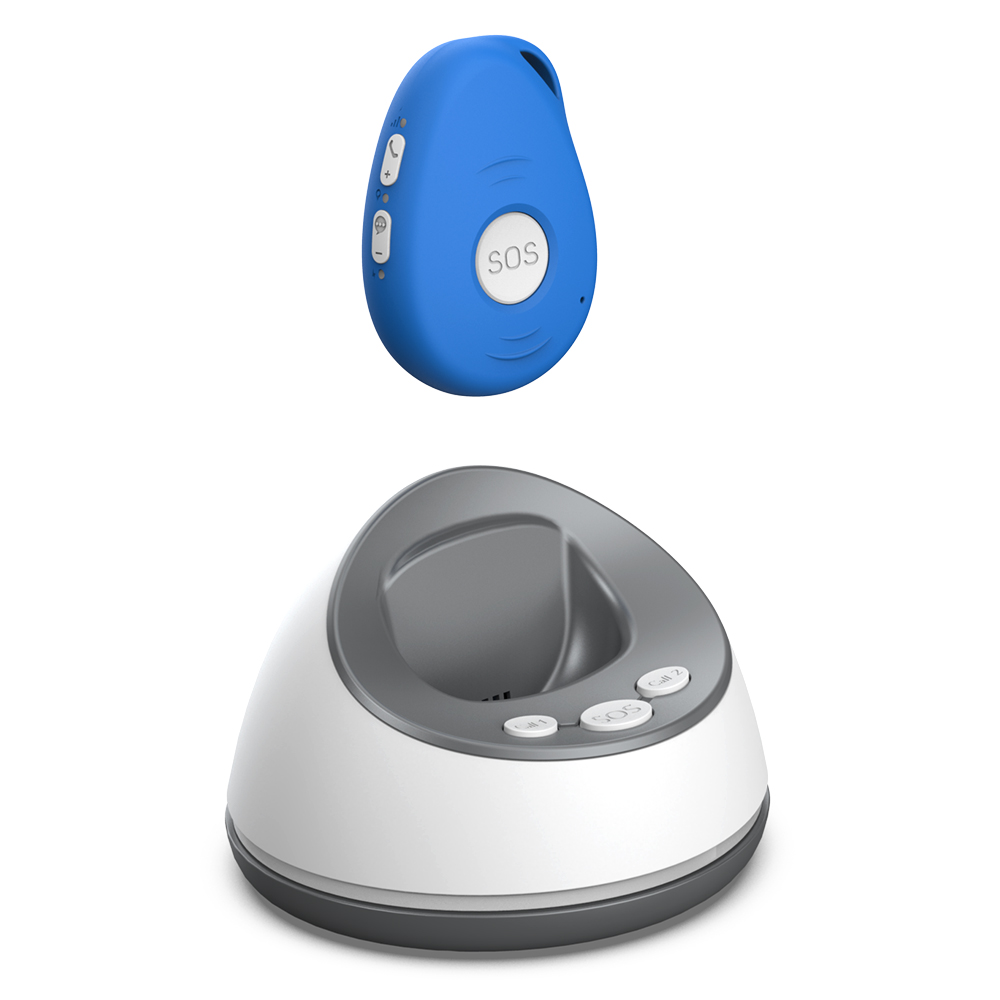
Putting it all together: what to look for in a GPS medical alarm
When you compare devices, start with the features that matter most for your daily life. If you spend a lot of time outdoors, GPS tracking and battery life are your top priorities. If you are worried about falls, make sure the fall detection is accurate and easy to cancel if false. If you live alone, two-way calling and family support become essential. A good device balances these features without being too complicated to use. The best medical alarm is one you will actually wear and remember to charge. That means it should be comfortable, simple, and reliable. Do not be swayed by flashy extras that you will never use. Focus on the core safety features and how they fit your routine. If you are helping a parent or relative choose a device, involve them in the decision. They need to feel confident using it, not overwhelmed. A trusted provider like familyr.co.nz can help you understand what works for your situation, without pushing unnecessary features or hidden fees. Take your time, test the device if possible, and make sure it gives you the protection you need every day.
Ends · CONNECTEDLATERLIFE